Four request types
Create, revise, cancel and copy.
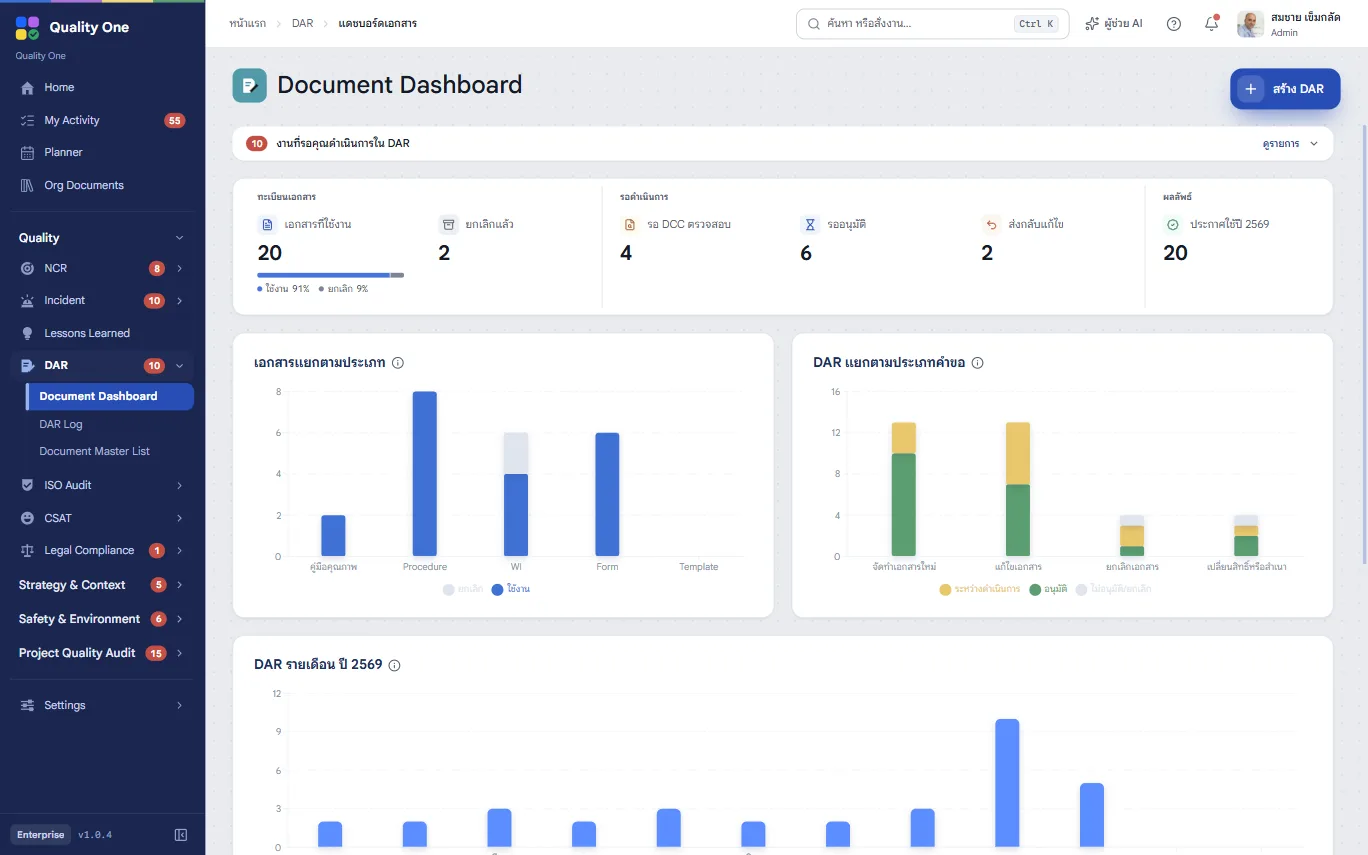
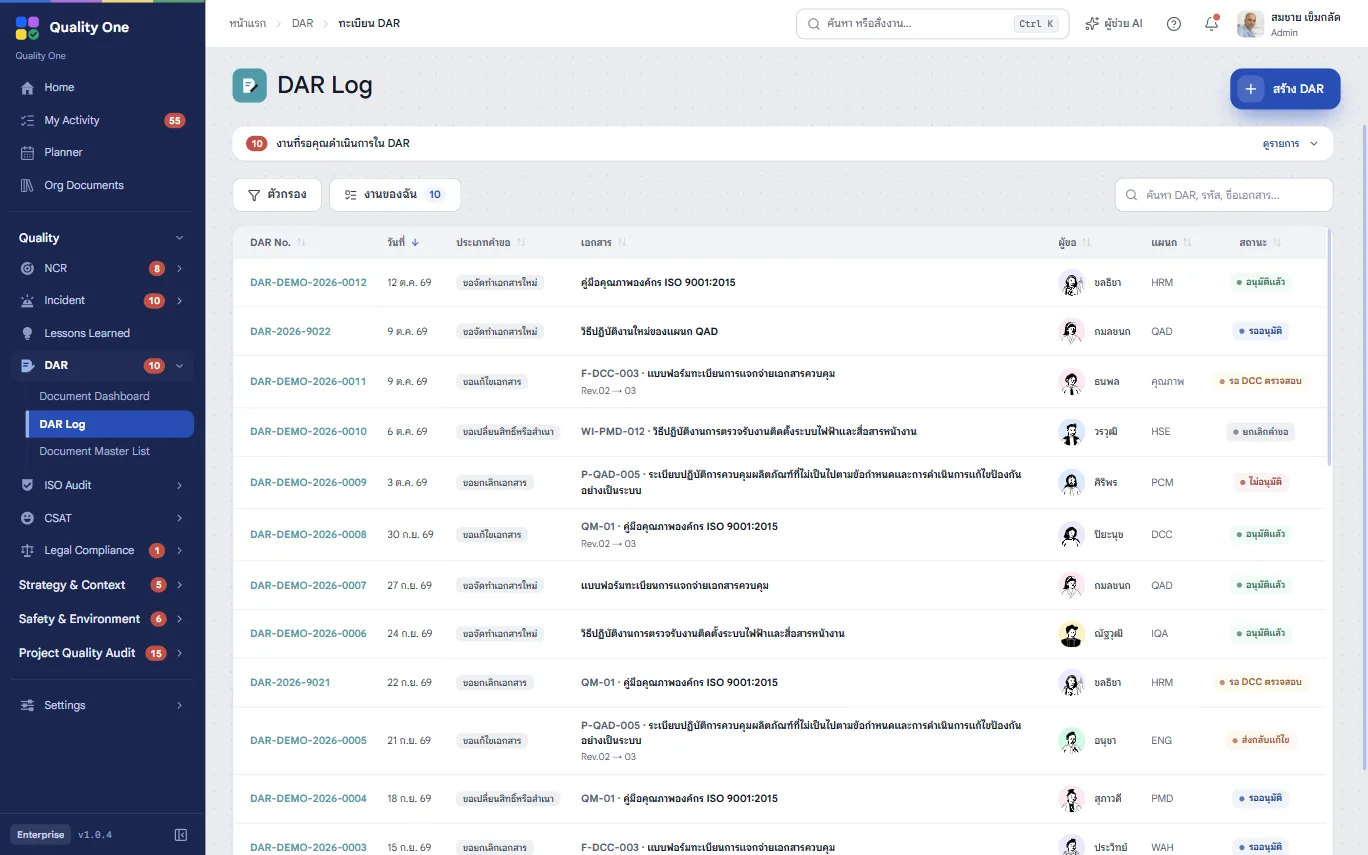
Request to create, revise, cancel or copy a document. DCC reviews it, the approver (QMR) signs it off, and the master document list updates itself.
Included in every plan
Paper DARs walk from desk to desk for signatures
Submit and approve on the web; everyone sees who holds a request
The master list drifts from the documents in use
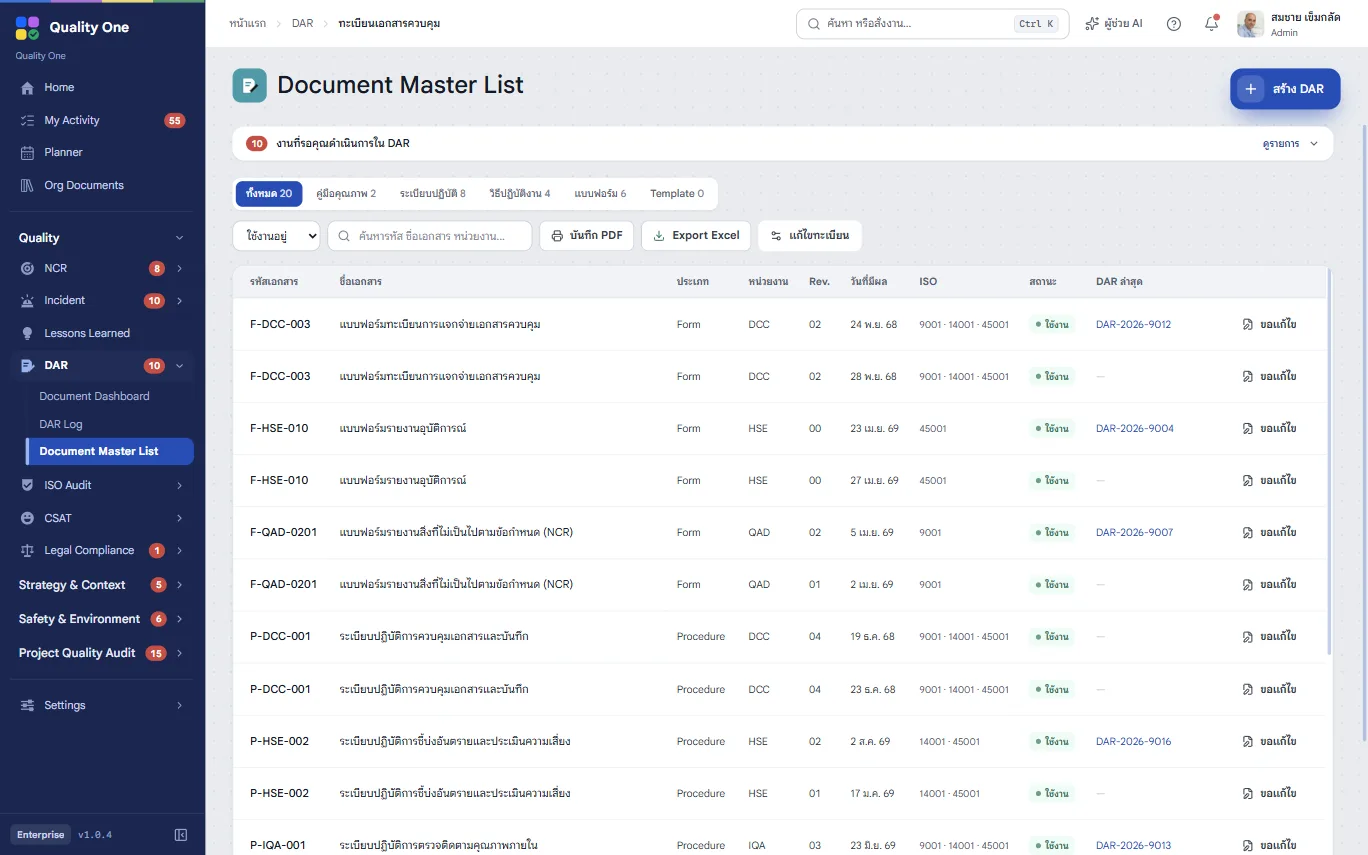
An approved DAR updates the master list, no retyping
No one can tell when or why a document changed
Each request keeps the reason, the change and the effective date
Steps
Choose create, revise, cancel or copy, pick the document from the register, and give a reason and effective date.
DCC checks accuracy and format, assigns the document code, then forwards or returns it.
Approve for release, send back for edits or reject, with a reason.
Once approved, the master document list changes to match the request automatically.
Capabilities
Create, revise, cancel and copy.
Quality manual, procedures, work instructions and forms.
Decide who acts as DCC and who approves, independent of system roles.
The master list always matches approved requests.
Requester, DCC and approver confirm with their accounts; Enterprise adds drawn or uploaded electronic signatures.
Everyone sees the requests waiting for them.
The Document Control Center: whoever runs your document system, checking format and assigning codes before approval.
DAR handles the requests and the master list. Source files stay in your existing document storage.
Every plan, starting with Essentials.
Contact
Leave a few details and we’ll get back to you to arrange a walkthrough, or chat with us on LINE.