Automatic numbering
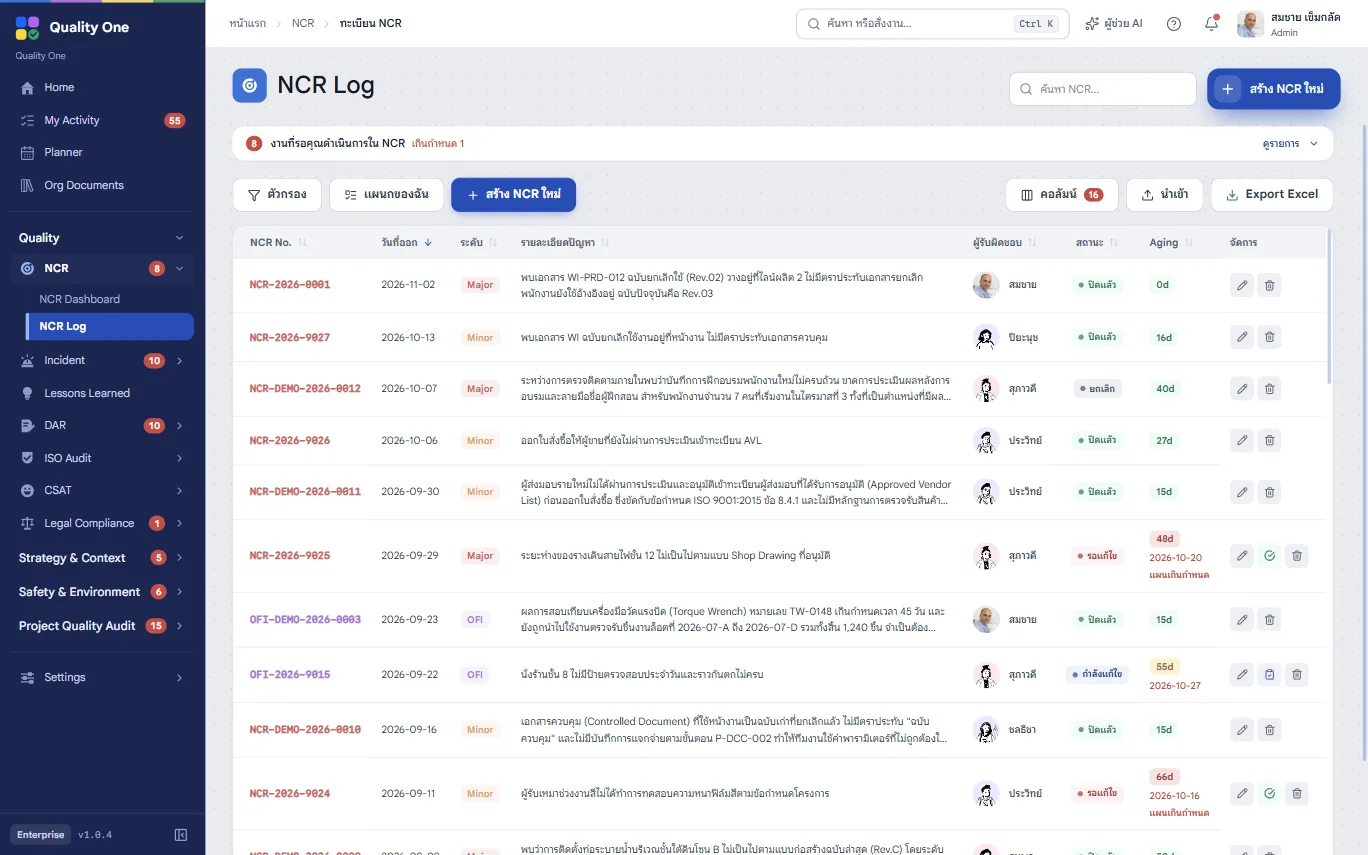
NCR-<org code>-year-sequence. No duplicates, no gaps, and OFIs run their own series.
Raise non-conformance reports and OFIs, hand them to an owner, record root cause and results, and approve the closure, all in one searchable register.
Included in every plan
NCRs live in several Excel files, with duplicate or skipped numbers
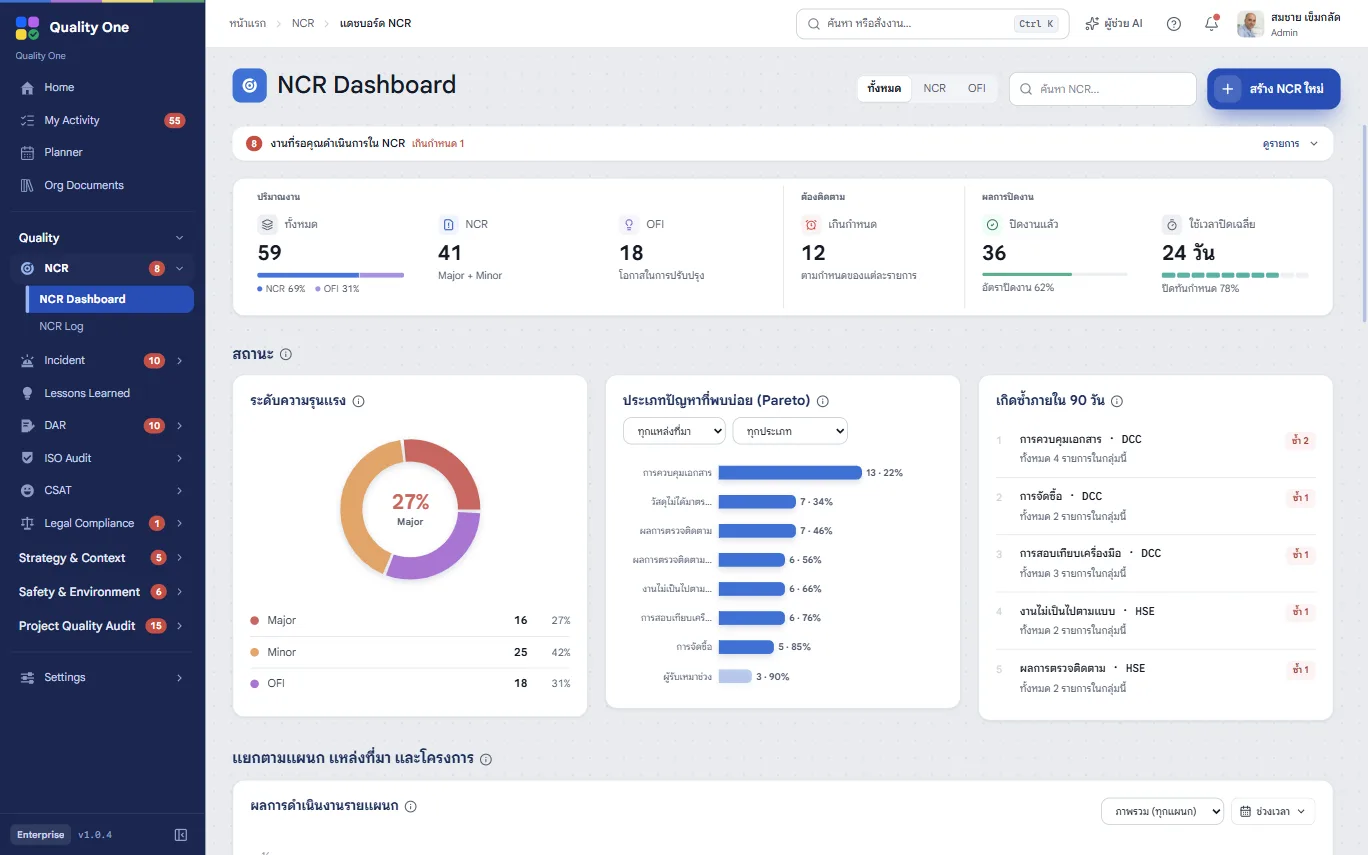
Numbers are generated for you and every record sits in one register
You have to phone around to find out where a fix stands
Every record shows its status, stage and days outstanding (aging)
Counting NCRs by department for management review takes ages
Dashboards by department, severity and source, with instant Excel export
Steps
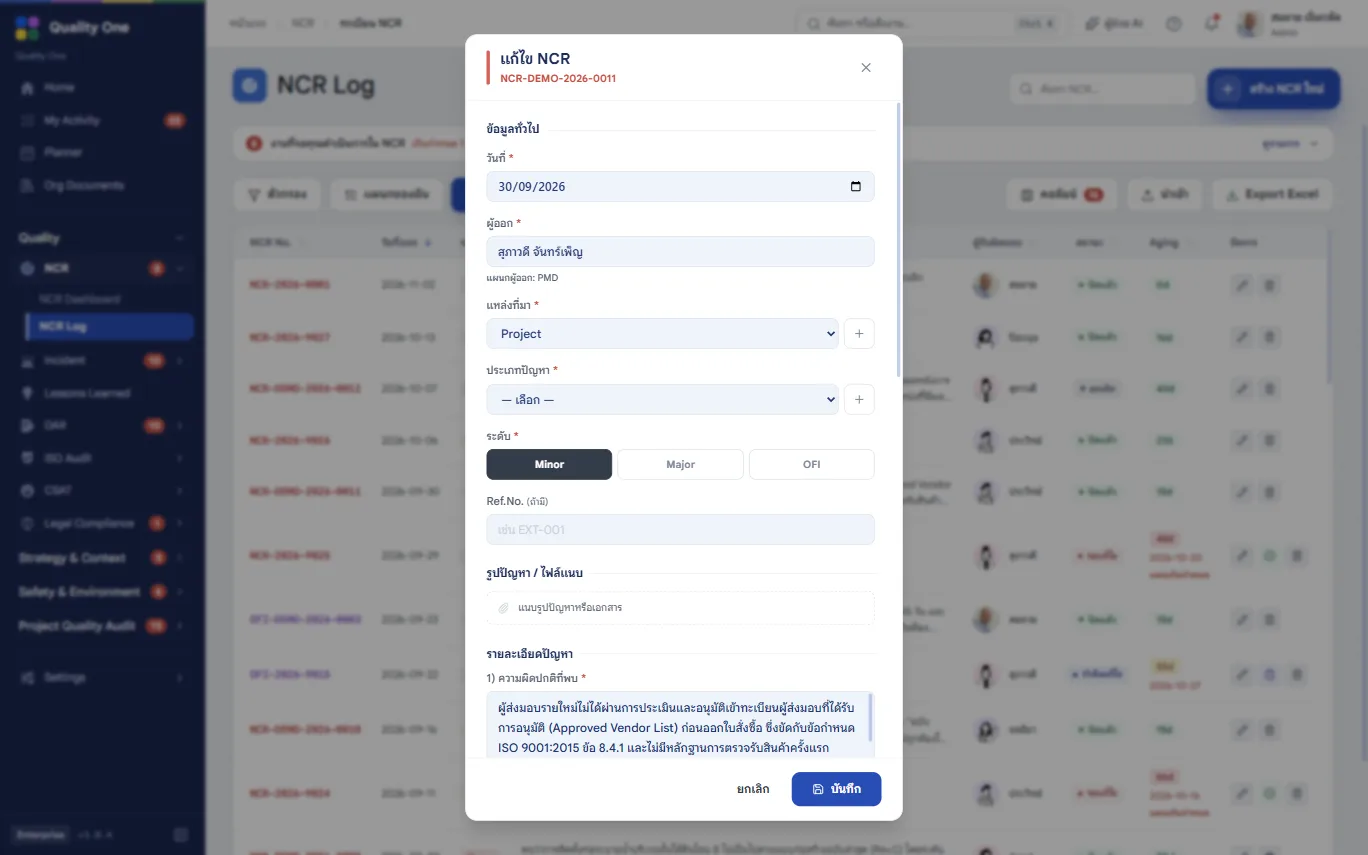
Source, problem type, level, related ISO clause, department and owner, with photos of the problem.
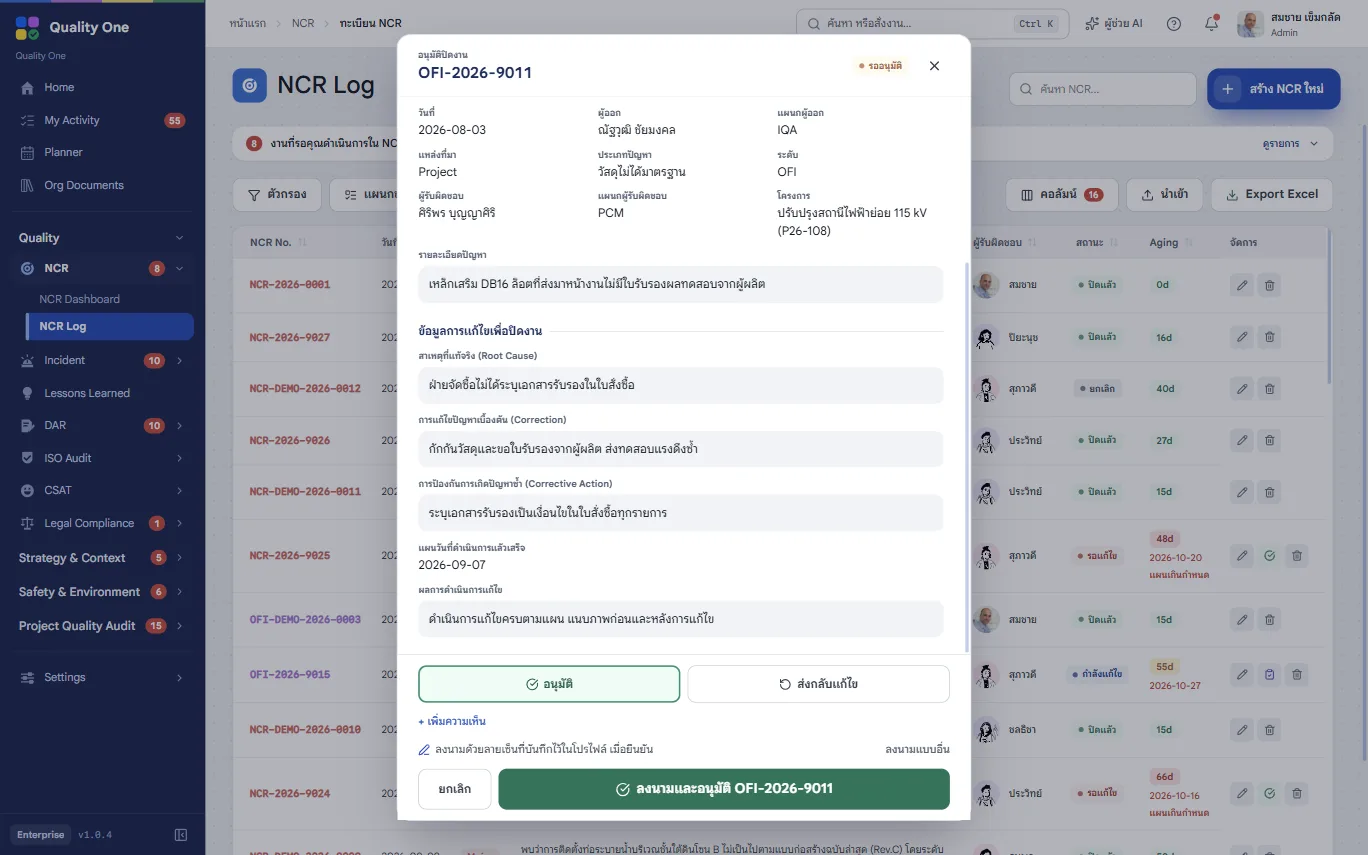
The owner records root cause, correction, corrective action and a target date.
Results and photo evidence are logged, and the record goes straight to pending approval.
The approver closes it, or sends it back with a reason. The plan stays, nothing is retyped.
Capabilities
NCR-<org code>-year-sequence. No duplicates, no gaps, and OFIs run their own series.
Source, internal/external, problem type, level and the ISO clause cited.
See which records have been open longest and which have passed their plan date.
Owners are emailed when assigned; approvers when something is waiting for them.
By department, severity, source, root cause and closure rate.
Print or save as PDF.
Yes. NCRs and OFIs share the same register and workflow, separated by document type.
Users with the approver, QA or admin role, set on the Users & Permissions page.
Yes. Enter the project code and name; with Project Quality you see every NCR of a project together.
Contact
Leave a few details and we’ll get back to you to arrange a walkthrough, or chat with us on LINE.